New in v0.5.0

Instant alerts.
8 channels.
Zero config files.

NeuRader assesses every playbook run automatically. The moment a failure is detected, all configured channels fire simultaneously — Slack, PagerDuty, Jira, Teams, Email, Telegram, Webhook, and Alertmanager.

Configure Now View Channels
Alert Logic

Smart routing.
No duplicate noise.

NeuRader routes alerts differently based on outcome. Success is quiet. Failure is loud. Every run is an independent assessment — no state tracking, no consecutive failure counters.

Playbook Succeeds

  • Slack — success message sent
  • Microsoft Teams — success message sent
  • Telegram — success message sent
  • PagerDuty — nothing sent
  • Jira — no ticket created
  • Email — not triggered

Playbook Fails

  • Slack — failure alert with host list
  • PagerDuty — incident created, dedup by run ID
  • Microsoft Teams — failure card posted
  • Jira — 1 bug ticket, all hosts inside
  • Email — alert sent to DL
  • Telegram — failure message sent
  • Webhook — JSON payload POSTed
  • Alertmanager — one alert per failed host
Alert Decision Flow

Playbook Ends

ansible-playbook finishes. Callback writes JSON log to disk.

NeuRader post-run

Reads the run log. Counts failed and unreachable hosts.

Any failures?

Checks status field for each host in the run.

No failures → Success path

Slack / Teams / Telegram get a green success message. Nothing else fires.

Failures found → Full incident

All 8 channels fire simultaneously with full host + task detail.

Fire and forget

NeuRader fires alerts and moves on. No polling, no waiting, no retry loops. Each run is independent.

1 Jira ticket per run

10 hosts failed = 1 ticket. All hosts consolidated. Engineer owns resolution — NeuRader never monitors or auto-closes.

Dedup by run ID

PagerDuty uses run ID as dedup key. One incident per run, no duplicates even if post-run fires multiple times.

Sensitive key scrubbing

Task args with keys matching password, secret, token, key are scrubbed before being sent to any alert channel.

Supported Channels

8 channels.
All simultaneous.

Configure any combination of channels. On failure, all configured channels fire at the same time — no priority queue, no sequential firing.

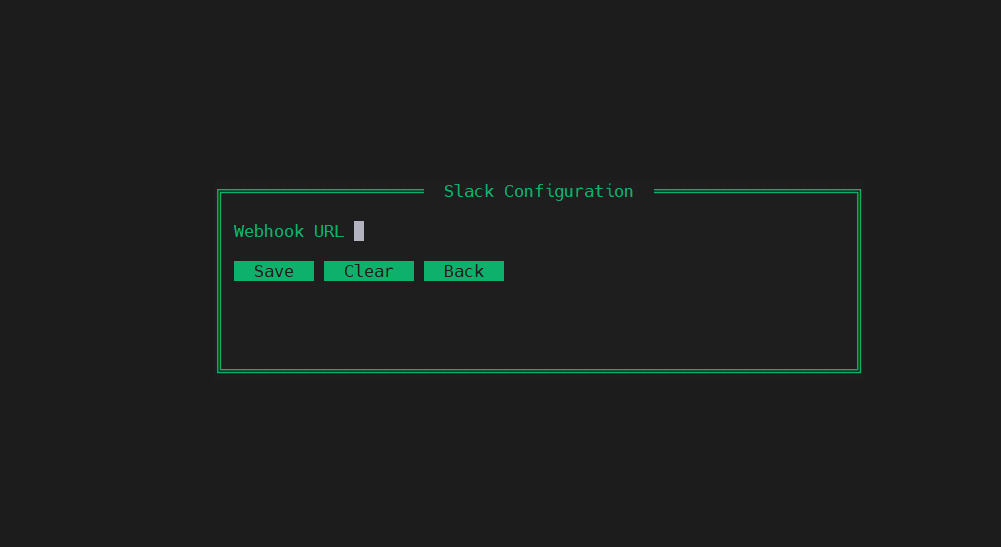
Slack
Incoming Webhook
Block Kit message with playbook name, run ID, total hosts, list of failed hosts with first failed task detail. Success sends a green confirmation.
slack_webhook = https://hooks.slack.com/…
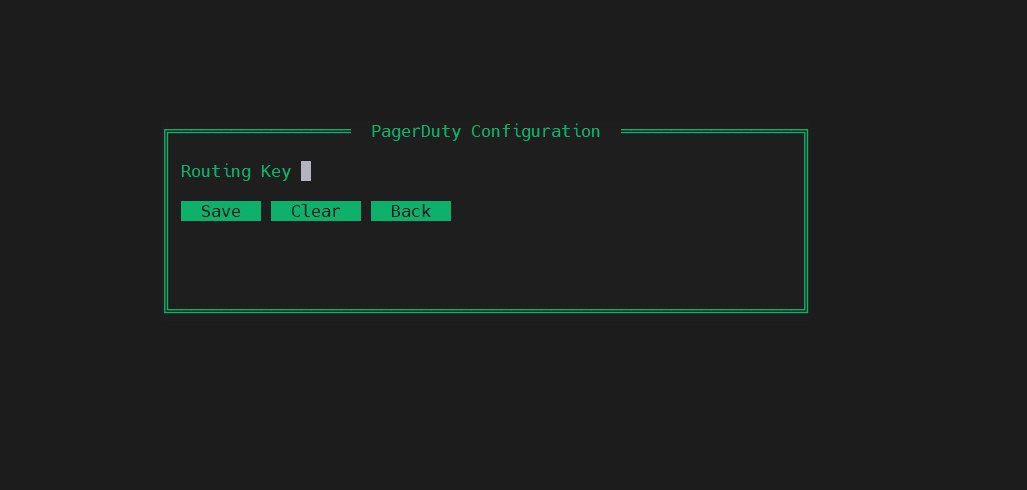
PagerDuty
Events API v2
Creates a PagerDuty incident. Severity scales automatically: warning for under 3 failed hosts, critical for 3 or more. Dedup key is the run ID — one incident per run guaranteed.
pagerduty_routing_key = …
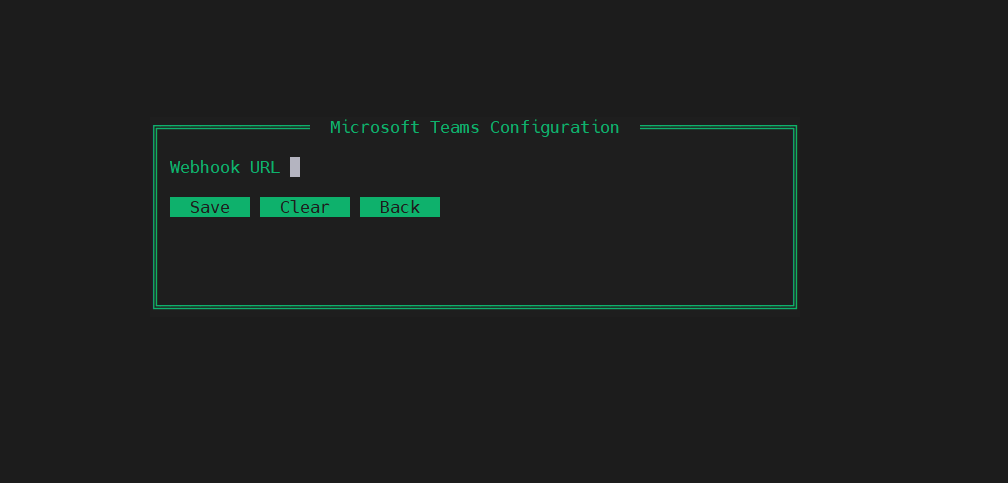
Microsoft Teams
Incoming Webhook
MessageCard posted to Teams channel. Red theme on failure with host details, green on success. Enterprise-ready — works with any M365 tenant and DL-based channels.
teams_webhook = https://outlook.office.com/…
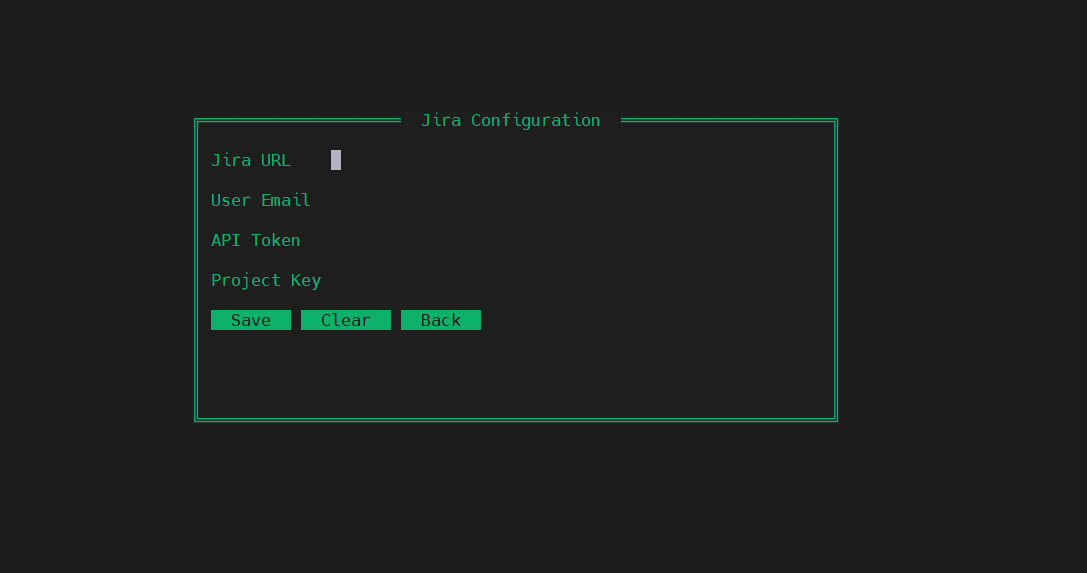
Jira
REST API v3
Creates a Bug issue with ADF-formatted description. All failed hosts and their task details go into one ticket. Priority auto-sets to High (<4 hosts) or Highest (4+). Labels: neurader, ansible, infrastructure.
jira_url + jira_user + jira_token + jira_project
Email
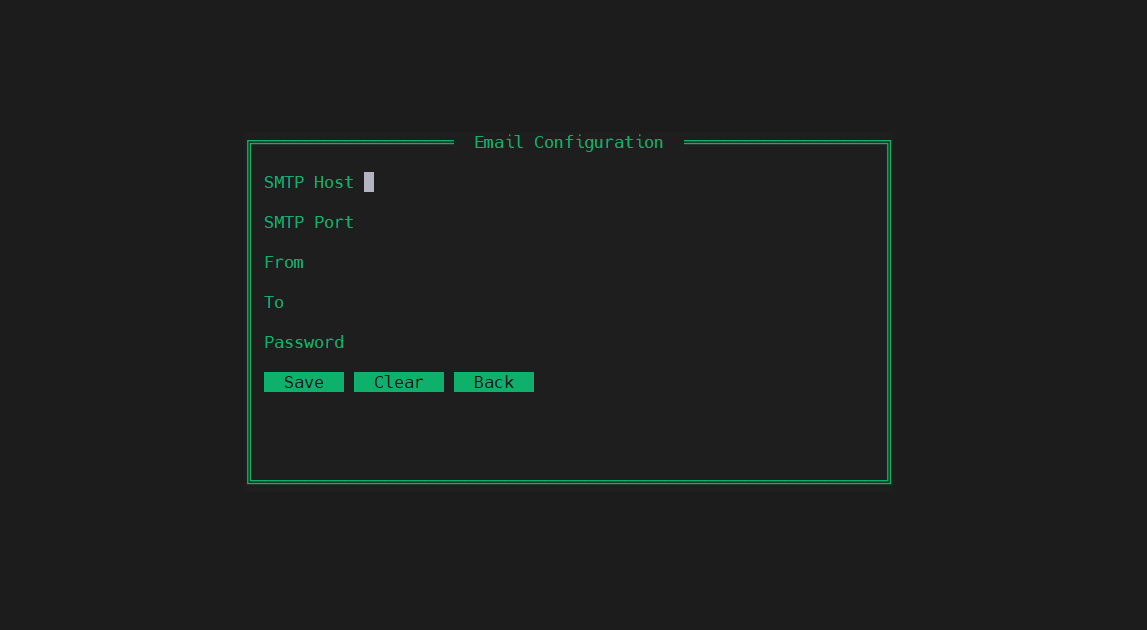
SMTP (port 587 / 465)
Plain text email over SMTP with STARTTLS (587) or TLS (465). Send from any service account to a company DL like monitoring@yourco.com. Compatible with Office 365, Gmail, AWS SES, and any standard SMTP relay.
email_smtp_host + email_from + email_to
Telegram
Bot API
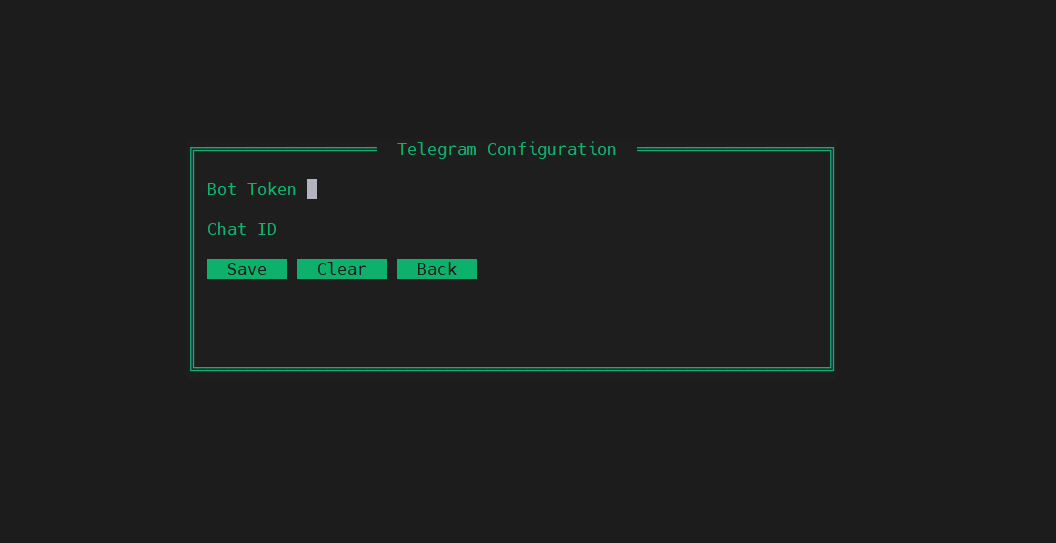
Sends a Markdown-formatted message to any Telegram chat or group. Easiest channel to test — create a bot with BotFather, get a chat ID, done. Ideal for personal or small-team use.
telegram_bot_token + telegram_chat_id
Webhook
Generic HTTP
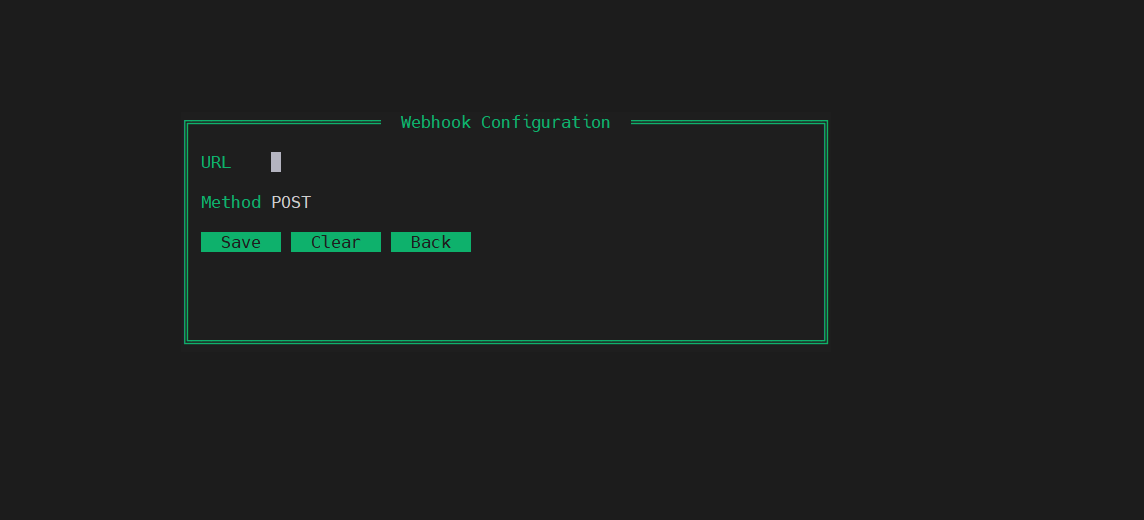
Posts a structured JSON payload to any HTTP endpoint. Configurable method (POST/PUT). Use this to connect NeuRader to any system — custom scripts, internal dashboards, ITSM tools, Zapier, etc.
webhook_url + webhook_method
Alertmanager
Prometheus API v2
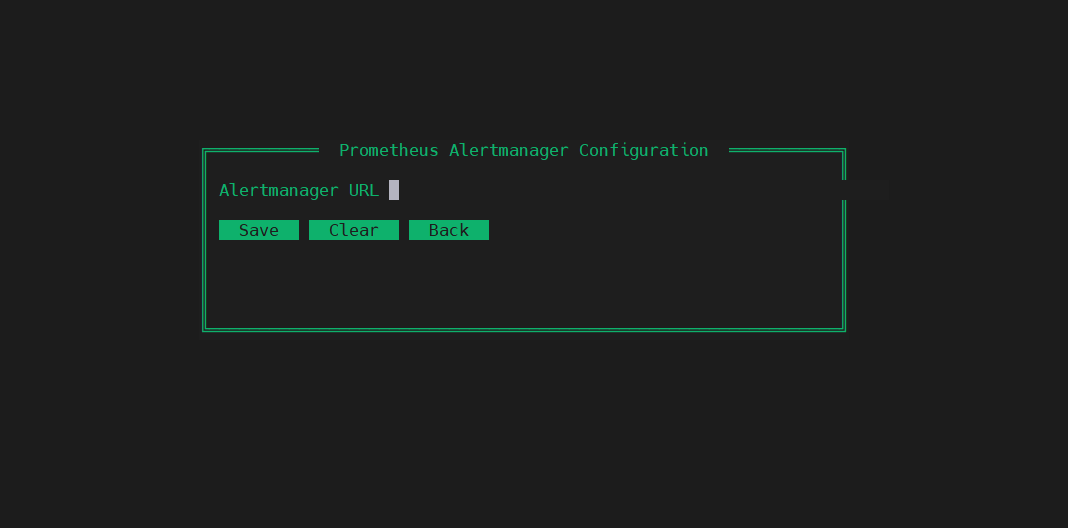
Posts one Prometheus alert per failed host to Alertmanager's /api/v2/alerts endpoint. Labels include alertname, severity, playbook, host, status, run_id. Integrates with your existing Prometheus stack.
alertmanager_url = http://…:9093
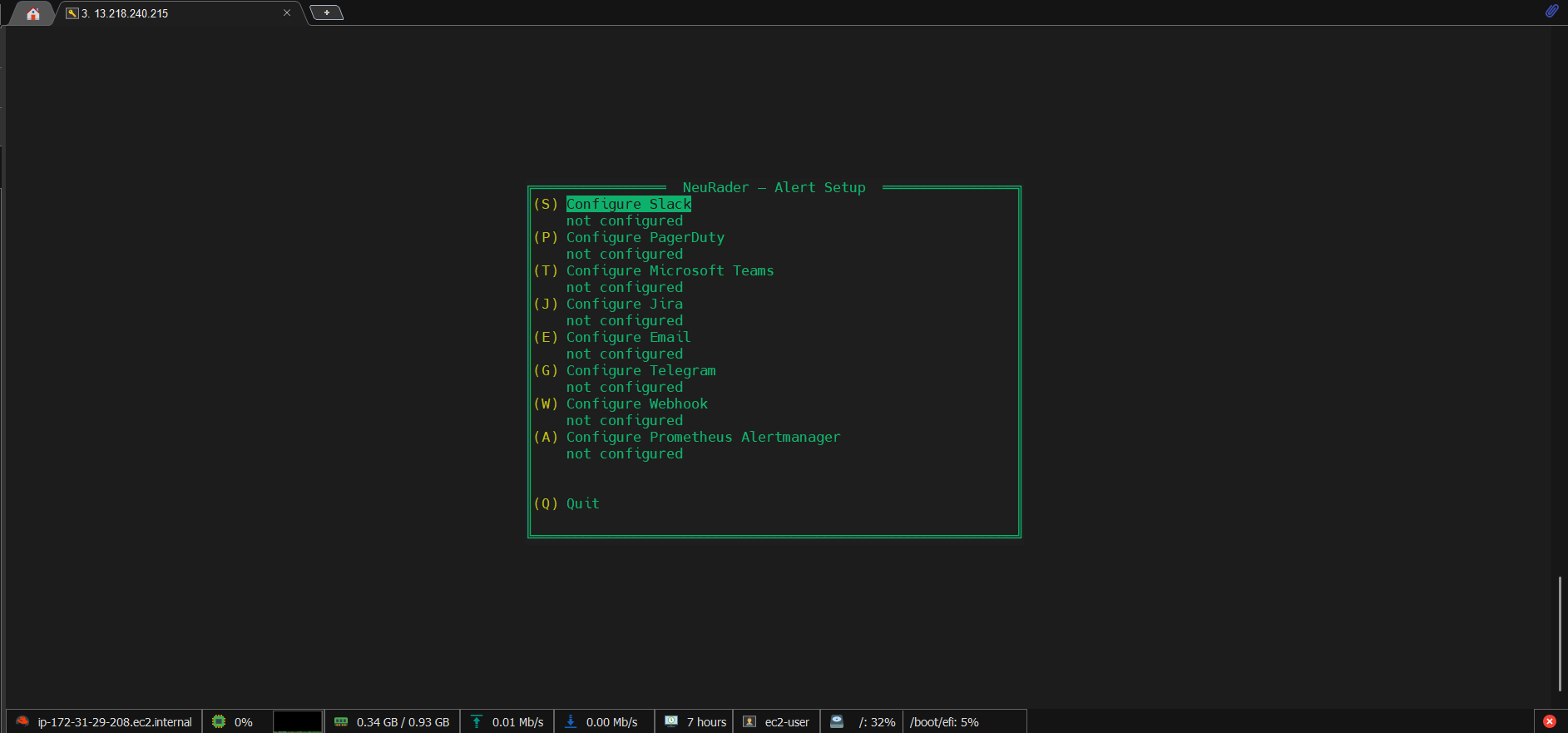
TUI Configuration

No config files.
Just a green terminal.

Run sudo neurader alert-setup to open an nmtui-style interactive terminal UI. Navigate with arrow keys, Tab between fields, Enter to select. Everything saves directly to /etc/neurader/neurader.conf.

1

Open alert-setup

Run the setup command. The green TUI opens instantly in your terminal — no browser, no web UI needed.

$ sudo neurader alert-setup
2

Select a channel

Use arrow keys to navigate the main menu. Each channel shows "not configured" or "✓ configured" status at a glance. Press Enter or the shortcut key to open a channel's form.

3

Fill in credentials

Tab between fields. Password and token fields are masked. Press Save to write to config. Press Clear to remove a channel's config entirely.

4

Test before going live

Run alert-test after configuring. It sends a simulated failure alert with a fake host to every configured channel. Verify everything works before a real incident.

$ neurader alert-test
✓ Slack sent
✓ Telegram sent
✗ PagerDuty failed: invalid routing key
All 8 channels in the TUI — real screenshots

Ready to set up
your first alert?

Takes under 2 minutes. Run alert-setup, fill in one channel, run alert-test to verify, done.

Get Started Back to Home